You're away, your books are still in order

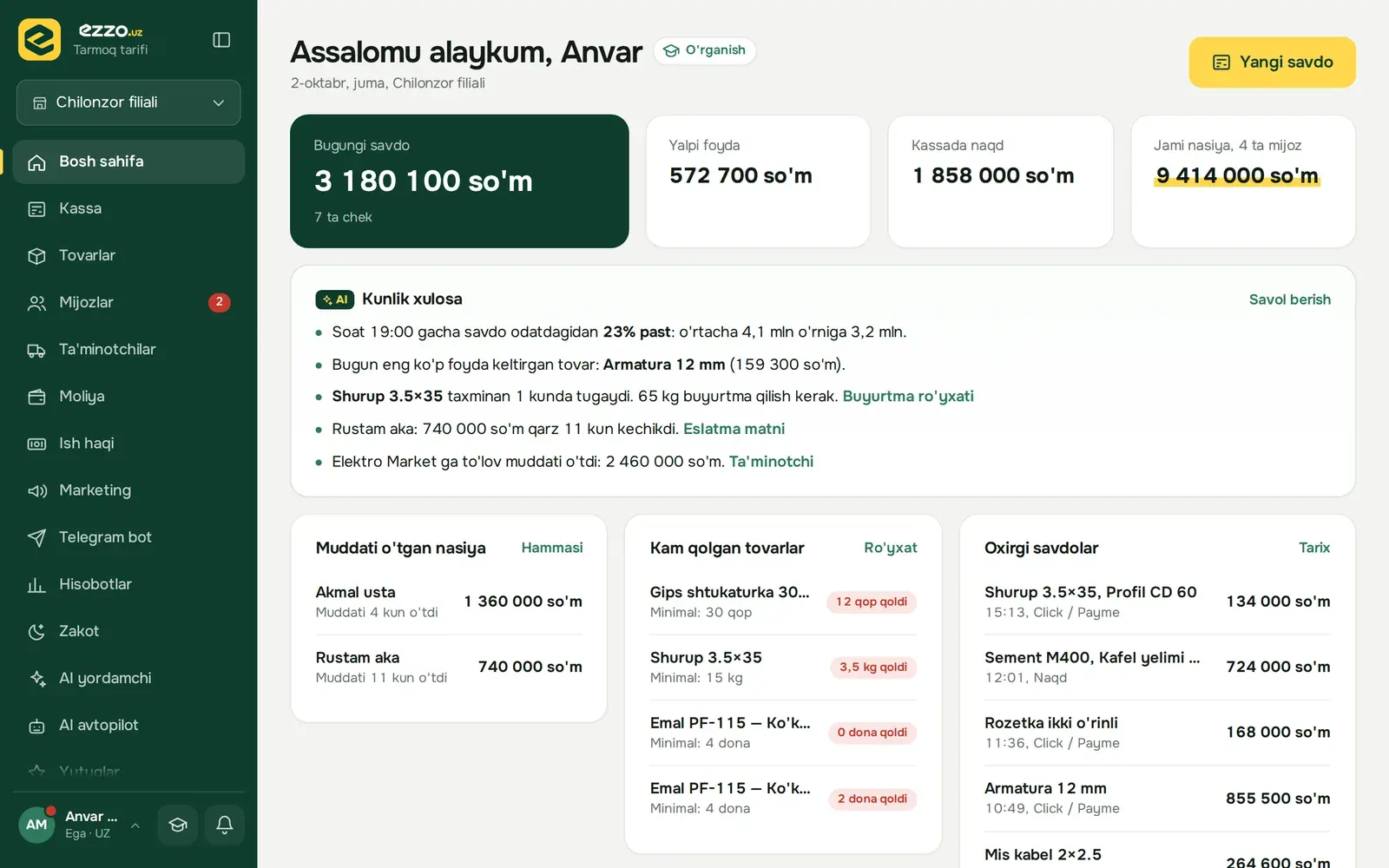
Ezzo puts your POS, inventory and debt book in one system. Every evening a report arrives in Telegram: how much you sold, who bought on credit, which items are running low.

  • No card required
  • POS works even offline
  • In Uzbek, Russian and English
ezzo.uz
Ezzo home screen: today's sales, profit, cash in the register and debts

Five questions a shop owner asks every day

In a notebook you flip through pages to find the answer. Here it's on one screen.
ezzo.uz
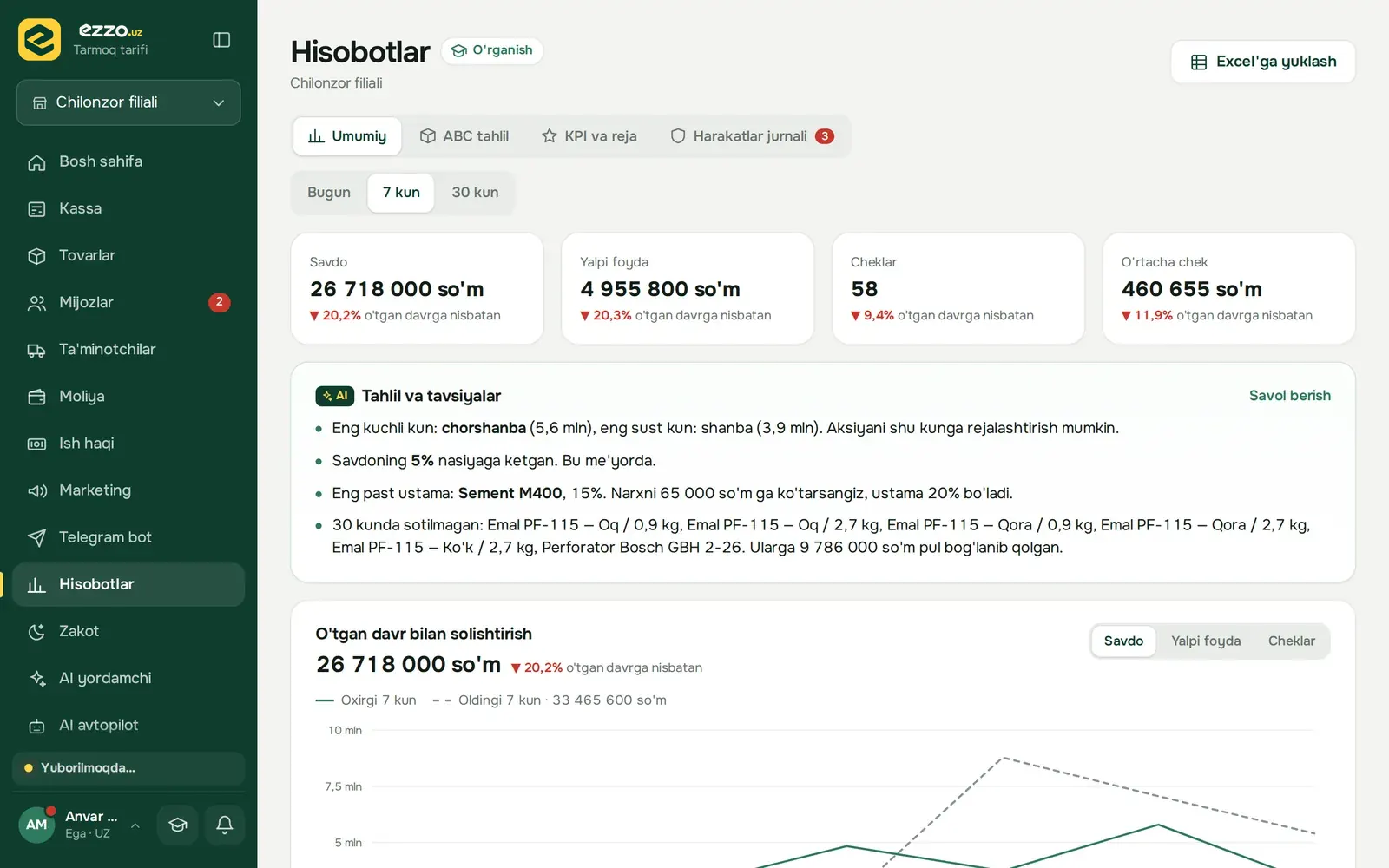
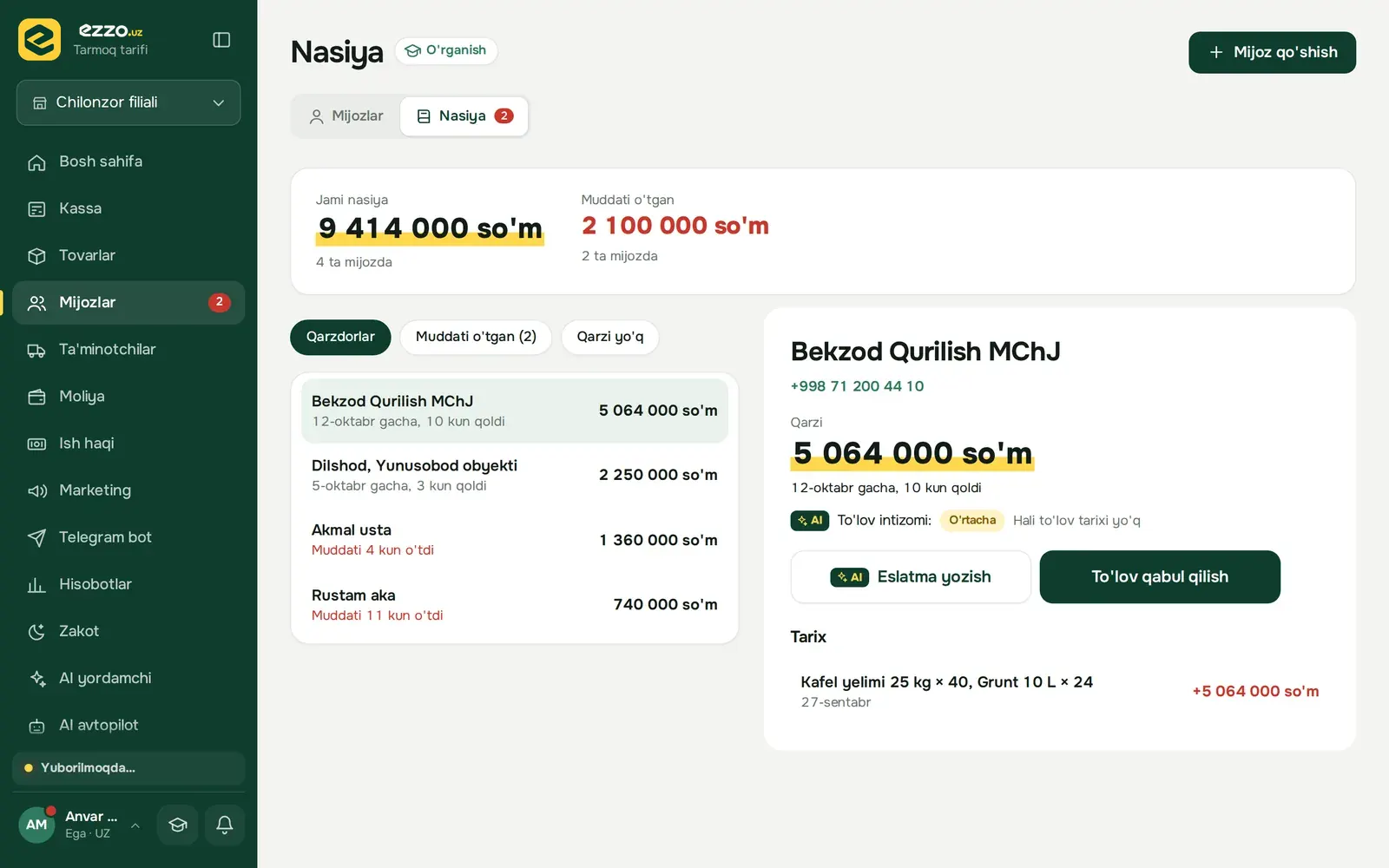
Reports: sales, gross profit, number of receipts, comparison with the previous period
  • Sales, gross profit and average receipt — for today, 7 days, 30 days or any period.
  • Every number is compared with the previous period, so you instantly see what went up or down.
  • ABC analysis shows which products make money and which tie up cash.

Whether you sell, produce or deliver — everything in one place

Choose your business type and the menu adapts. If you have both a shop and a workshop, they work together.

Shop

Building materials, household goods, groceries, clothing, cosmetics, electronics.

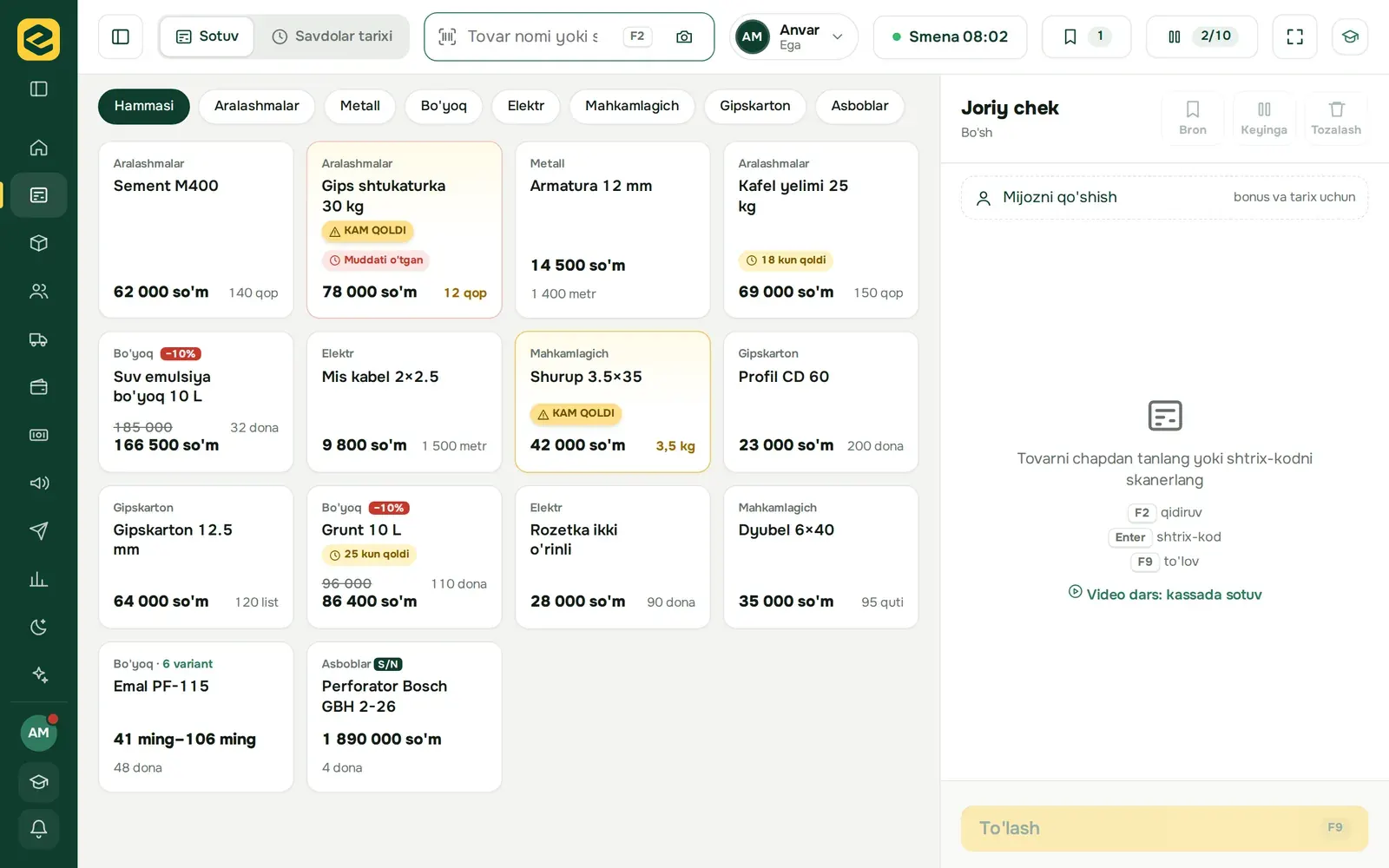
  • POS, receipts and returns
  • Debt book and reminders
  • Inventory, price tags, stock counts
  • Cashback, promotions and promo codes

Production

Blocks, tiles, dry mixes, furniture and other workshops.

  • Recipes and raw material usage
  • Cost calculated automatically for each batch
  • Production plan and defect tracking
  • Piece-rate payroll

Distribution

Wholesalers and manufacturers who deliver goods to shops.

  • Sales agent app
  • Delivery trips and driver app
  • Separate prices for dealers and shops
  • Stock is reserved when an order is confirmed

The agent takes the order, the driver delivers, the office sees everything

Both apps install on the phone home screen and work offline: data syncs automatically when the connection returns.
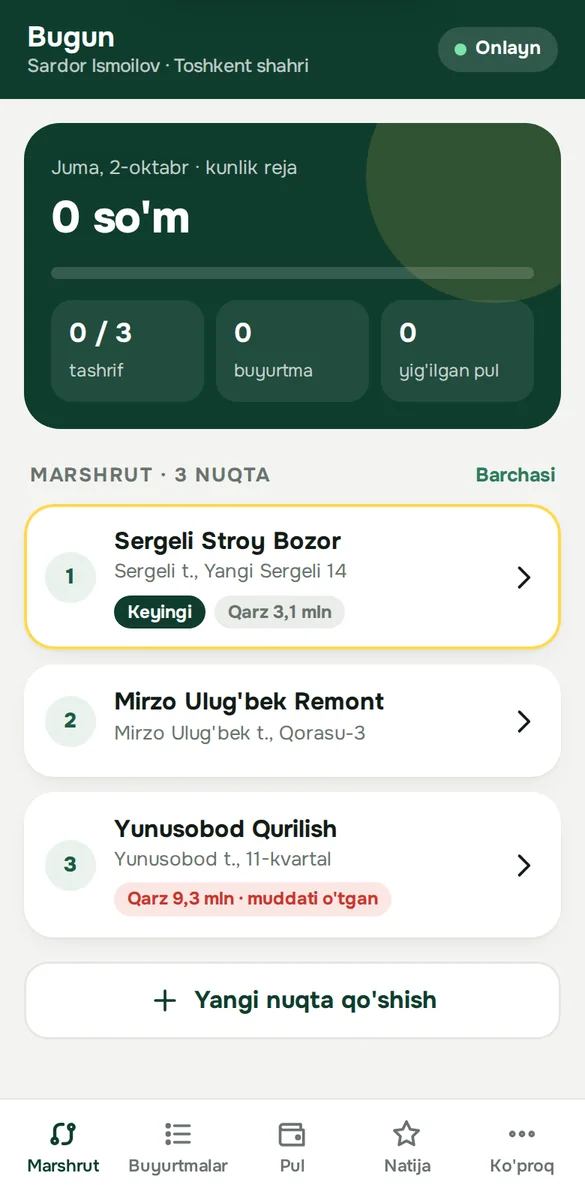
  1. Agent takes an order at the outletStock, price and the customer's debt are right in front of them. If the limit is exceeded, the order goes to the office for review.
  2. Office confirmsStock is reserved for this order — another agent can't sell it.
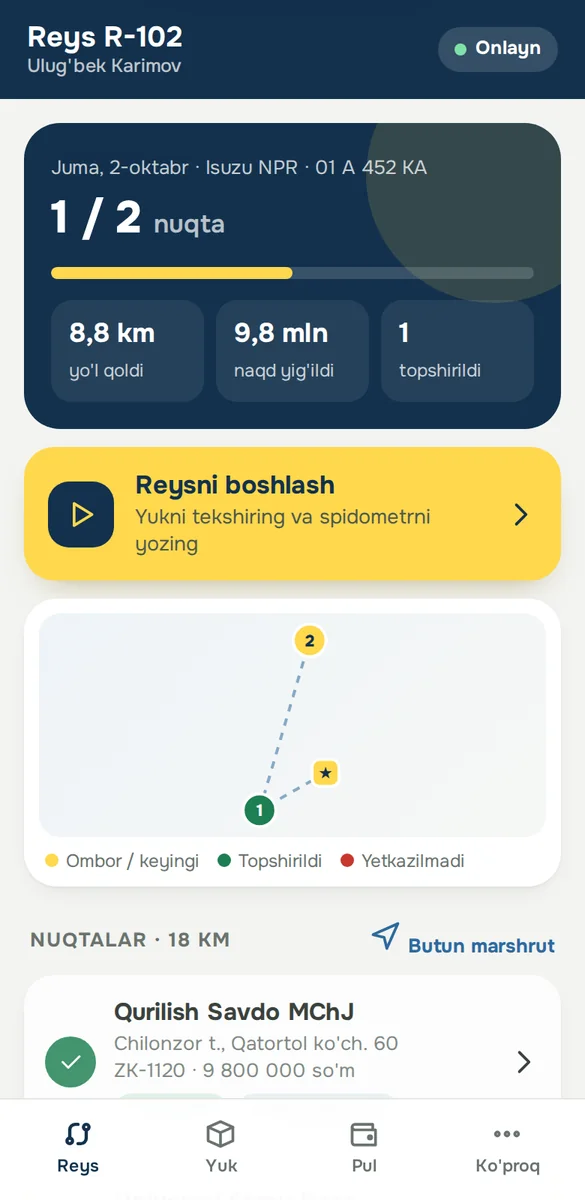
  3. Driver deliversRoute, load check, customer signature or a code from Telegram. Returns and collected cash are recorded on the spot.
  4. Cash to the register, goods to the warehouseThe cashier accepts the cash, the storekeeper counts the returns. If there's a discrepancy, you see who's responsible.
Agent app: today's route and outlets
Agent app
Driver app: today's trip and delivery points
Driver app

Built for real market conditions

The internet isn't always good and not every seller is good with computers. The system is built for that.

Works offline
If the connection drops, sales don't stop. Receipts are queued and sent automatically when the internet is back.
Phone, tablet, computer
Nothing to install — it opens in the browser. Sellers can even sell from their own phone.
Scanner and receipt printer
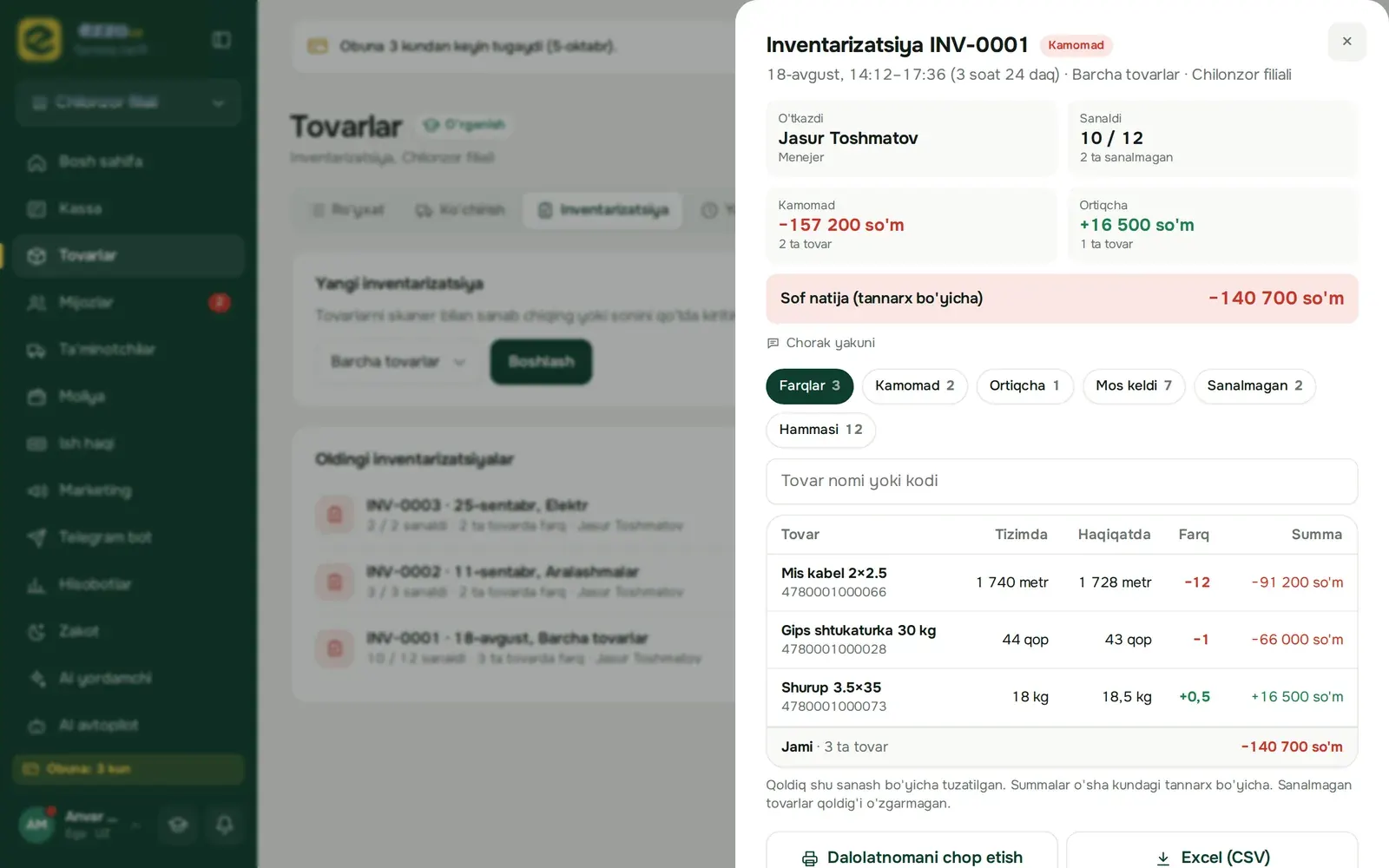
A regular barcode scanner or the phone camera. 58 and 80 mm receipt printers, price tag printing.
Permissions for every employee
Cashiers don't see cost and profit. Who changed a price or gave a discount is logged.
Multiple branches
Each branch has its own register, stock and shift. The owner sees everything in one report.
Import from Excel
Upload your product list from an Excel file in one go. Reports can be exported to Excel too.
AI assistant
A daily summary: why sales dropped, what to reorder, who to send a reminder to.
Simple mode
Large text, simple words and only four sections for everyday work. Turned on with one button.

Pricing

Use every feature for the first 14 days. Then pick the plan that fits — or stay on the free one.

Free

For a small shop or to get started

0 UZS

Forever

  • 1 branch, 1 employee
  • Up to 100 products
  • Up to 20 debtors
  • POS, receipts and returns
  • Inventory and stock counts
  • Debt book
  • Reports: last 7 days
Get started

Start

One shop, 2–3 sellers

149 000 UZS / mo

  • 1 branch, 3 employees
  • Up to 2,000 products
  • Unlimited debtors

Everything in Free, plus:

  • Telegram bot and daily report
  • Full reports: ABC analysis, sellers, activity log
Try it

Most popular

Biznes

Several branches, a workshop or distribution

299 000 UZS / mo

  • 3 branches, 10 employees
  • Unlimited products

Everything in Start, plus:

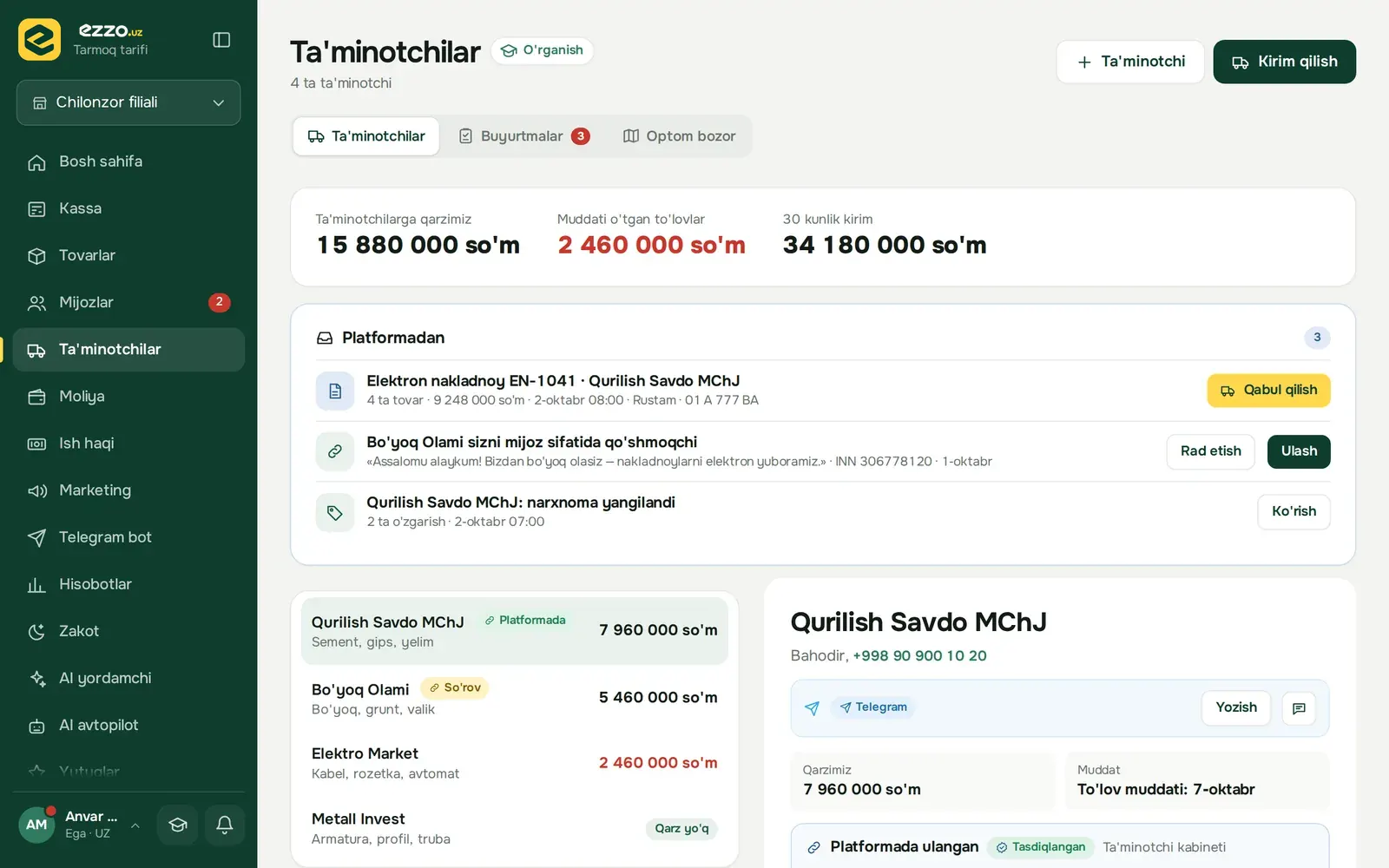
  • Suppliers and receiving
  • Customer base, cashback, promotions, promo codes
  • Finance: shifts, expenses, profit and loss
  • Production and distribution
  • Online store: your own website and orders
  • Daily AI summary and tips
  • API: products and prices on your website
Try it

Tarmoq

Chain of stores

599 000 UZS / mo

  • 10 branches
  • Unlimited employees and products

Everything in Biznes, plus:

  • AI assistant: ask a question, get an answer with numbers
  • Stock receiving from an invoice photo or by voice
  • AI autopilot: orders, reminders and reports go out on their own
  • API: orders and webhooks
  • Dedicated account manager
Try it

Payment: Click, Payme, Uzcard / Humo or bank transfer. Extra branch — 99,000 UZS per month. You can change your plan at any time.

Up and running in three steps

  1. Leave a request

    A manager will call you, learn about your shop and open your account.

  2. Add your products

    Import from Excel or add them one by one with a scanner. Give your staff their PIN codes.

  3. Start selling

    All features are unlocked for 14 days. If you don't like it, you pay nothing — your data stays on the free plan.

Frequently asked questions

Didn't find an answer? Write to us: @ustamarket_support

What happens if the internet goes down?

The POS keeps working. Sales are queued on the device itself and sent to the server when the internet is back. The agent and driver apps work the same way.

What equipment do I need?

Any phone, tablet or computer with a browser. A barcode scanner and receipt printer make it more convenient, but they're optional — the phone camera can be your scanner.

Can I move my current product list?

Yes. Products are imported from an Excel file in one go: name, barcode, cost, selling price and stock.

What happens after 14 days?

You choose a plan and pay — or do nothing and your account moves to the free plan. Your data is not deleted.

Can sellers see cost and profit?

Only if you allow it. Permissions are set for each position: who can change prices, give discounts or see reports.

Is it only for building materials stores?

No. The system started with building materials stores, but it also fits groceries, household goods, clothing, cosmetics and electronics.

Can I take my data with me?

Yes. Products, customers, debts and reports can be exported to Excel at any time. Other stores can't see your data.

Try free for 14 days

Leave your phone number. A manager will contact you, open your account and help you get started.

+998
Business type

We only need your number to contact you.